I went in to teach a team about AI. By the end of the day, they were teaching me.
This week I ran a hands-on AI session with a client’s engineering and product team. The plan was a presentation, some demos, and a hackathon on their own codebases. The developers did exactly what I expected. The project managers did something I’ve never seen before.
Real codebases, real problems, zero setup tax
The team had access to Claude Code about a week before I arrived. Some had used it, some hadn’t touched it. But everyone had it installed and ready to go. Zero friction at the start meant we could skip setup and get straight to work.
The group was mostly software developers, but it also included project managers and go-to-market team members. I didn’t scope the session to just devs. That turned out to matter more than anything else I decided that day.
I made one specific request for the hackathon: don’t use a hobby project or a starter template. Use codebases you already know. Work on problems you actually want to solve.
Starter projects teach you a tool’s happy path. Real codebases teach you whether it can handle your actual constraints: messy code, incomplete docs, domain-specific patterns, legacy decisions you can’t undo. If the team was going to form an opinion about AI in their workflow, I wanted it based on their reality, not a demo scenario.
The PMs were the biggest surprise
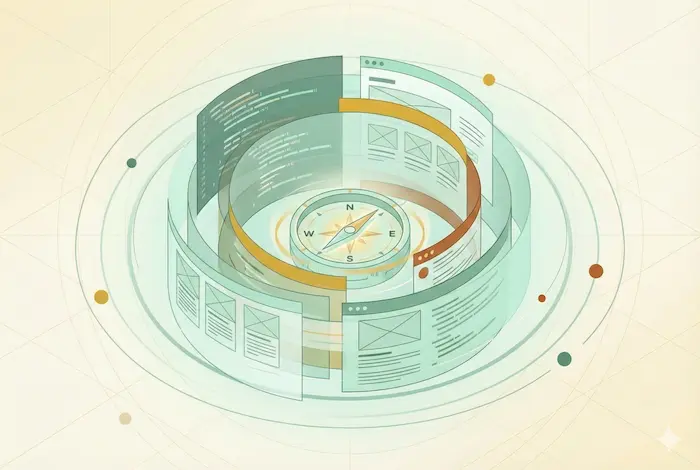
The developers shipped an impressive amount of code. Tests that never got written. Automation that had been on the backlog for months. Refactors that nobody had time for. Even the skeptics had shipped real changes by the end, not because I convinced them with slides, but because they sat down with a problem they cared about and watched it get solved. Good developers with a force multiplier will produce more. That’s the straightforward case.
What I didn’t expect was the project managers.
The PMs weren’t writing features for customers. They were using Claude Desktop and Claude’s research capabilities to go deeper on their own side of the workflow. One PM pointed Claude at the codebase and started asking plain English questions about existing features. No terminal, no IDE. Just “how does this work and why?”
Another PM was already using it for client support. In her words: “A client asked me about a problem an end user was reporting. I just asked Claude Code, ‘Hey, this is the problem, how can this happen?’ It went through all the paths and found how it was happening.” That’s a PM resolving a client issue in minutes that would have required pulling a developer off their current work.
They started thinking about everything that happens before work reaches a developer: making sure tickets are clear enough to act on, catching missing acceptance criteria, validating assumptions. The stuff that, when done well, prevents the back-and-forth that slows everyone down.
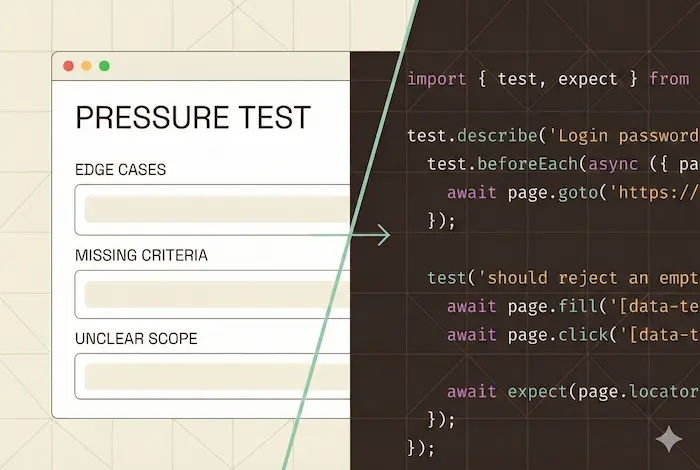
One of the first things we built together was a pressure test skill. It acts like an experienced developer reviewing a ticket draft. When a PM provides notes or a draft ticket, the skill asks the follow-up questions a senior dev would ask: edge cases, missing acceptance criteria, unclear scope. Instead of writing a ticket, handing it off, and waiting for a developer to come back with questions, the PM gets those questions immediately. The feedback loop goes from a day to minutes.
When the PM and the developer figured it out together
Then one PM took it further than anyone expected. She used Claude to read through the codebase and generate a detailed testing plan for a specific part of the user experience: step-by-step instructions covering every path and edge case. She handed that plan to a developer, who fed it to Claude Code and produced a full suite of Playwright end-to-end tests.
I watched both of their faces when they realized what had just happened. The PM had never written a test in her life. The developer had never seen requirements that thorough come from a ticket. They looked at each other and immediately started talking over each other about where else this could work. Then the rest of the room started paying attention.
Not because of the tests themselves. Because of the handoff. A PM who understood the requirements produced a testing plan. A developer who understood the code turned it into automated tests. The whole thing took a fraction of the time it normally would.
This is the part that stuck with me. When PMs go deeper on quality before work reaches engineering, and developers can take that clarity and run with it, the entire team moves faster. Not because anyone is working harder. Because the friction between roles shrinks.
Nobody planned that workflow. It emerged because two people with different roles realized AI had removed the bottleneck between them. The PM didn’t need to become technical. The developer didn’t need to become a product expert. Each person went deeper in their own domain, and AI made the handoff seamless.
That’s what made this session different from a typical training. People didn’t just learn the tool. They started rethinking their process.
What the team started building for themselves
Something else happened that I didn’t anticipate. The team started developing their own vocabulary and practices during the session.
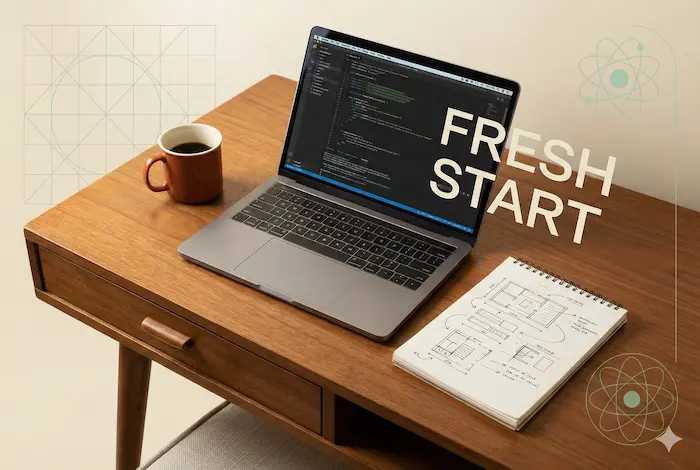
I taught them about context windows and how a model’s recall degrades as a conversation grows. Within an hour, they’d come up with their own code word for it: “fresh start.” As in, “you’re going off the deep end, come back.” That kind of organic shorthand tells me a concept landed.
I also walked through the Research, Plan, Implement workflow I wrote about in my first post. One developer’s reaction: “We’ve been doing the planning and implementing, but that research step adds value. It seems like the model tries to research on its own when creating a plan, but only when it thinks it needs to. Making it an explicit step gives better results.” They were already adapting the framework to their own work before the hackathon ended.
The developers who focused on their existing codebases did things they’d been putting off: writing automated tests, adding documentation, building out CI pipelines, cleaning up technical debt. The stuff that everyone agrees is important but nobody feels like they have time for. AI didn’t change what mattered. It removed the excuse for not doing it.
Why leadership asked for more
We closed the day with a recap. The CEO had been watching the results come in throughout the afternoon. His take: massive success. But what stuck with me was his recommendation. He didn’t say “great, now get back to your sprint.” He said the team needs more space to experiment like this because the value was too high to treat as a one-off.
That’s rare. Most leadership sees a training day as a cost: a day away from delivery. This one was a day of delivery. The team shipped real work while learning the tool. That only works when people are solving real problems instead of following a script.
What made this one work
I’ve run these sessions before. This one was different, and I think it comes down to three things:
Organizational buy-in. Leadership removed barriers and gave people room to experiment. When someone needed more capacity during the hackathon, the team admin upgraded them on the spot. No waiting, no approvals queue. That set the tone.
Real problems. Everyone worked on their actual codebases with their actual constraints. The opinions they formed were based on their reality, not a demo scenario.
Cross-functional participation. Including PMs and go-to-market team members alongside developers is what unlocked the PM testing workflow and the client debugging use case. If I’d scoped this to just engineers, the most interesting outcomes wouldn’t have happened.
The tools have gotten good enough that the gap between “I see the potential” and “I just did it” has nearly closed. Today, you point Claude at a codebase and a problem and it goes to work. The barrier dropped. This team was ready.
If you’re thinking about how to bring AI into your team’s workflow, those three conditions are where I’d start. And if you want help designing a session like this for your team, that’s what I do.